Open almost anything
DWG and DXF straight from AutoCAD, plus PDF sheets, HPGL/PLT plot files, photos and ZIP archives. An 80 MB drawing opens in seconds.
DWG · DXF · PDF viewer & editor
Open DWG, DXF and PDF drawings on your phone or computer and measure like AutoCAD, free. Go Pro to sketch lines, erase, pin photo notes and save back to DXF.
Works in the browser on Android, iPhone, Windows and Mac. Your drawings never leave your device.
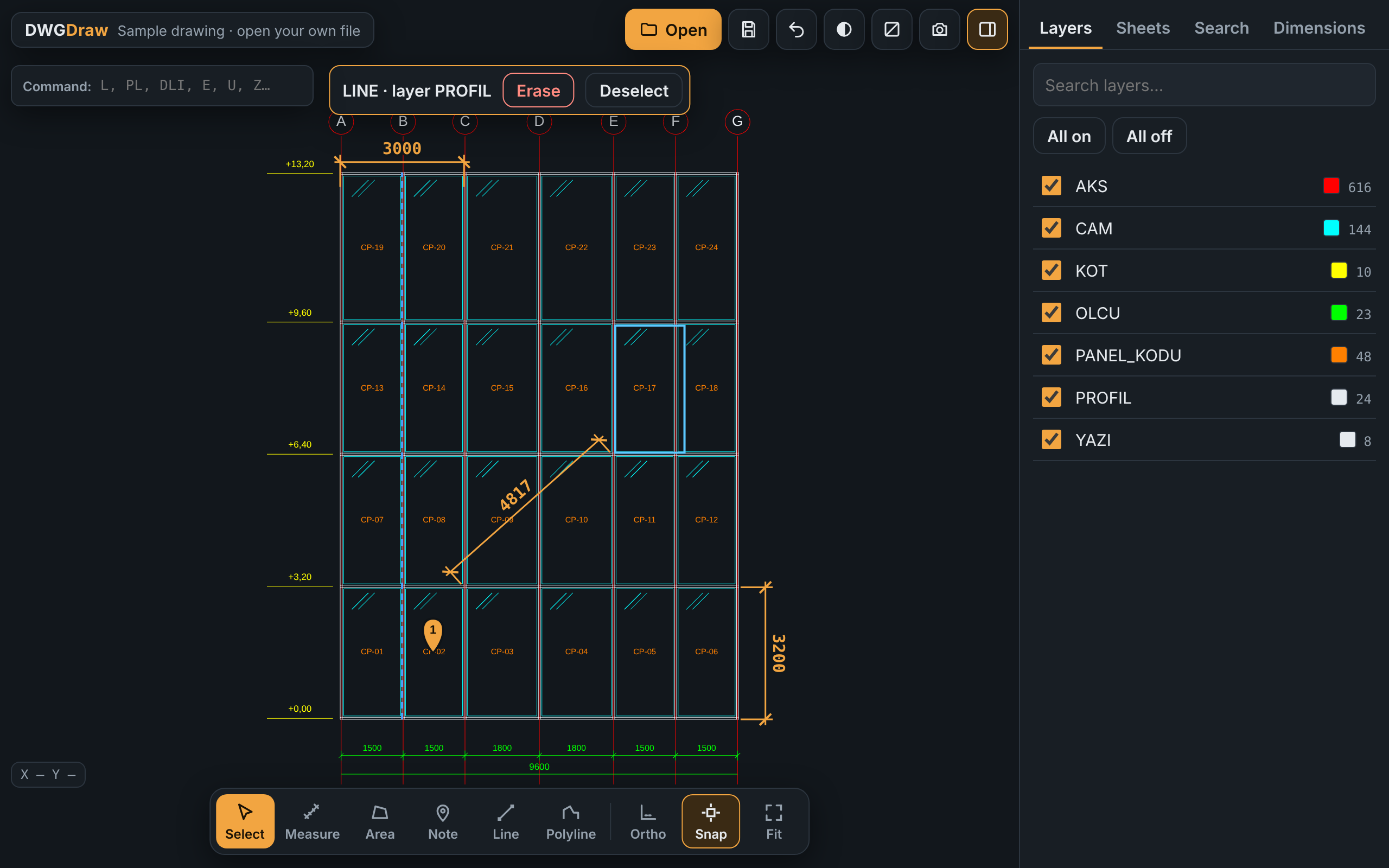
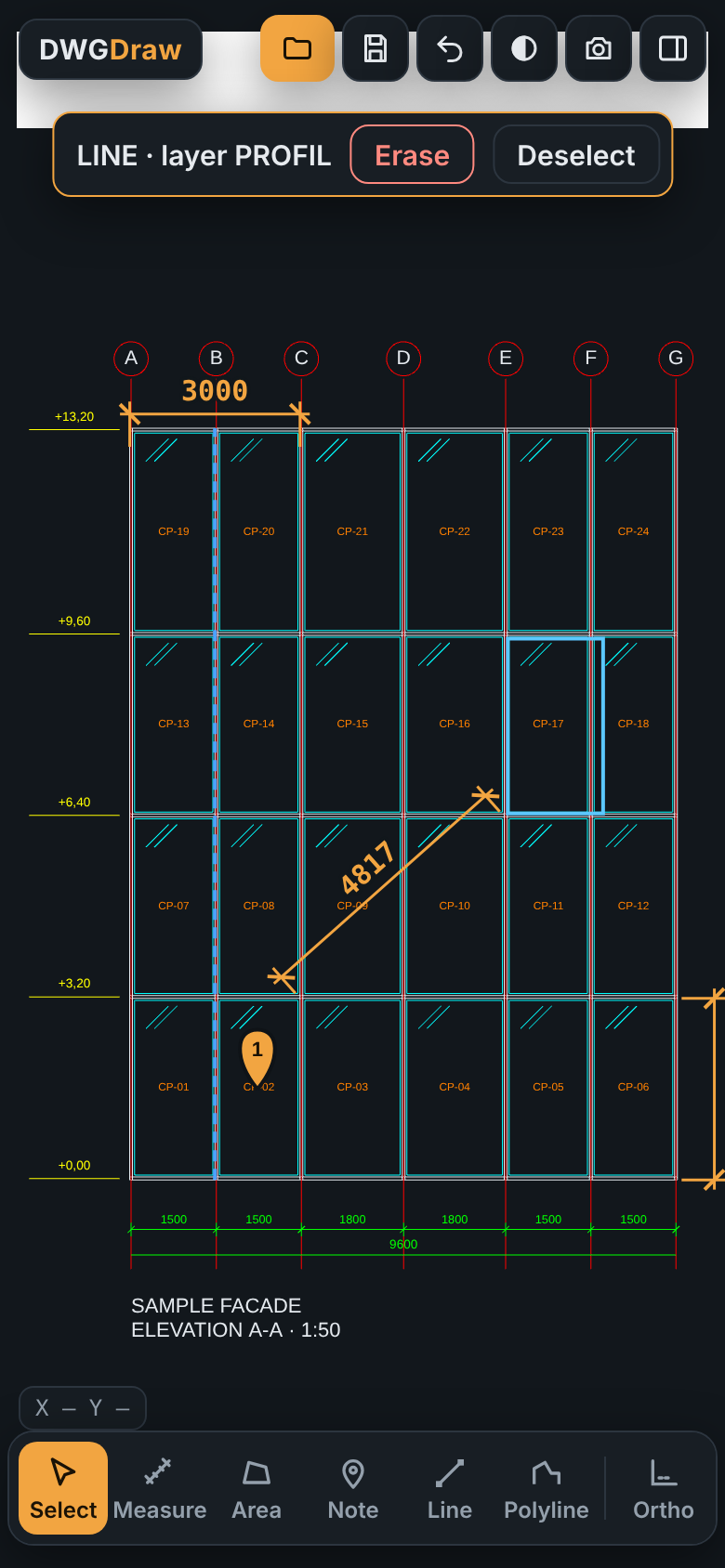
Everything you reach for when a drawing lands in WhatsApp and you need an answer on site.
DWG and DXF straight from AutoCAD, plus PDF sheets, HPGL/PLT plot files, photos and ZIP archives. An 80 MB drawing opens in seconds.
Aligned and linear dimensions with extension lines and ticks, area and perimeter, endpoint and midpoint snap. Calibrate the scale on PDFs and photos.
Line and polyline with Ortho, snap and typed lengths: type 1250, press Add, done.
Click to pick, drag a window or crossing selection, press Delete. Ctrl+Z brings it back.
Pin a note and a photo to any point: "Grid C-D, 3rd floor: anchor missing". Stored with the file on your device.
Erased objects are removed and your lines and dimensions are added on their own layers, at real coordinates. Opens in AutoCAD.
DWGDraw opens and edits your drawings on your own device. No server ever sees them.
Start free. Upgrade when you need to change the drawing, not just read it.
$0
$4.99 / month
or $39 / year (save 35%)
Prices in USD; local taxes are added at checkout by Lemon Squeezy, our reseller. Cancel anytime.
Open these directly, or inside a ZIP or GZ archive.
On a keyboard, start typing: the command line catches it. Enter or Space runs it, Enter on an empty line repeats the last one.
| Type | Does |
|---|---|
| L | Line |
| PL | Polyline |
| DLI · DAL | Linear / aligned dimension |
| DI | Measure distance |
| AA | Area and perimeter |
| E | Erase selection |
| U · Ctrl+Z | Undo |
| Z | Zoom to fit |
| F3 · F8 | Snap · Ortho |
| SAVE | Save as DXF |
Opening DWG, DXF, PDF and plot files, layers, search, distance and area are free, with no limit on file size. Pro removes ads and adds drawing, erasing, DXF save, photo notes and scale calibration.
Yes. Open Info > Account > Manage subscription. Pro stays active until the end of the period you paid for. Payments are handled by Lemon Squeezy, our reseller.
No. Files are opened and processed inside your browser on your own device. Nothing is sent to a server.
DWG files from AutoCAD 2000 up to the current 2018+ format, read with the open-source LibreDWG library. Older files may open partially, and a few rare objects (3D solids, regions) are not drawn yet.
With Pro you can erase objects, draw lines and polylines and add dimensions, then save everything as a DXF that opens in AutoCAD. PDFs and photos can be marked up but not saved as DXF.
On Android, open the app and tap "Install app" (or the browser menu > Install). On iPhone, open it in Safari, tap Share, then "Add to Home Screen".
No. DWGDraw is an independent app. DWG is a file format used by Autodesk AutoCAD and many other CAD programs.
No download, no sign-up to start. Your first DWG opens in your browser.